Egg is a browser, first.

A modern, fast, private browser — with reading, feeds, and an AI agent built in.

Browse

The browser, done right.

Vertical tabs, full identity profiles, encrypted vault, and end-to-end sync without an account.

See all browser features →
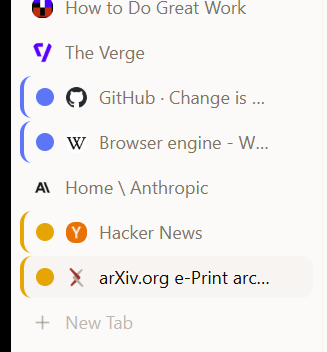
Vertical sidebar tabs with two color-coded groups: Research in blue and Reading in amber

Vertical tabs & tab groups

Sidebar layout with drag-to-reorder, color-coded groups, and a top stripe in horizontal mode. Persists across restarts.

End-to-end encrypted sync

Pair two devices with a 6-character invite. Bookmarks, passwords, passkeys, settings, and firewall rules sync continuously — no account, no plaintext in the cloud.

Full identity profiles

Each profile gets its own cookies, passwords, history, color, and avatar. Open isolated windows per profile.

Passkeys + encrypted vault

Self-authored WebAuthn authenticator, vault-encrypted at rest. Touch ID UV on Mac. Import from Chrome and Firefox.

Chrome extensions

Install from a Web Store URL or an unpacked folder. The extension APIs are supported by the engine itself.

Windows

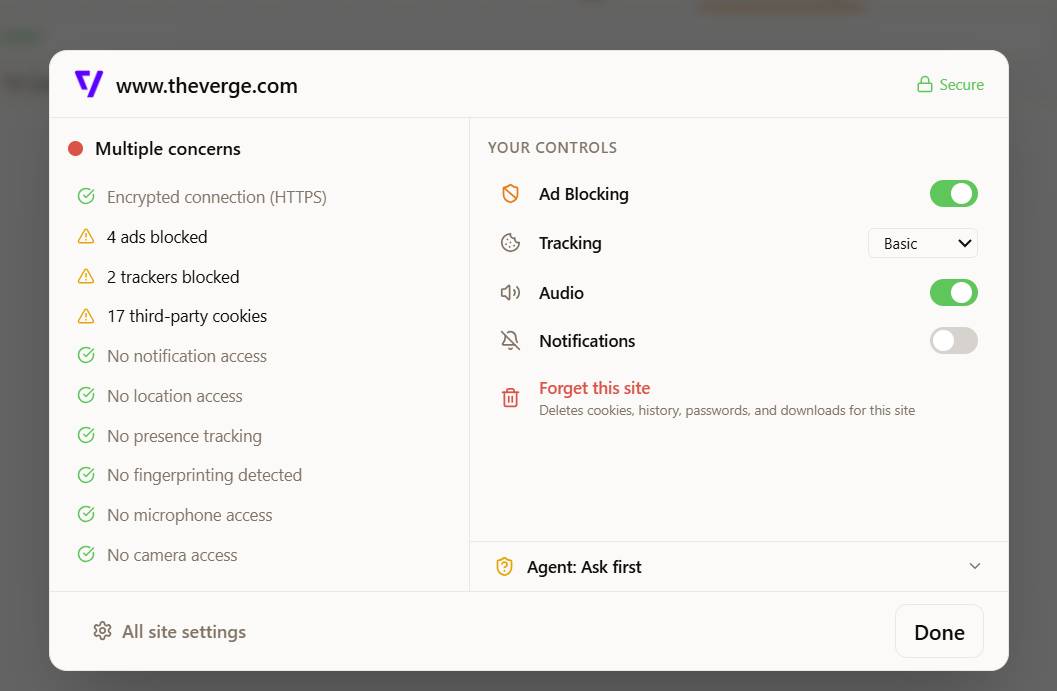
Tracker blocking, by default

~90 ad/tracker domains blocked at the network layer. 40+ tracking parameters stripped from URLs. Prefetch and preconnect blocked.
Read

Three reading modes. One feed view.

Strip the chrome from any article. Pull LinkedIn and Twitter into a clean stream you actually want to read.

See all reading features →
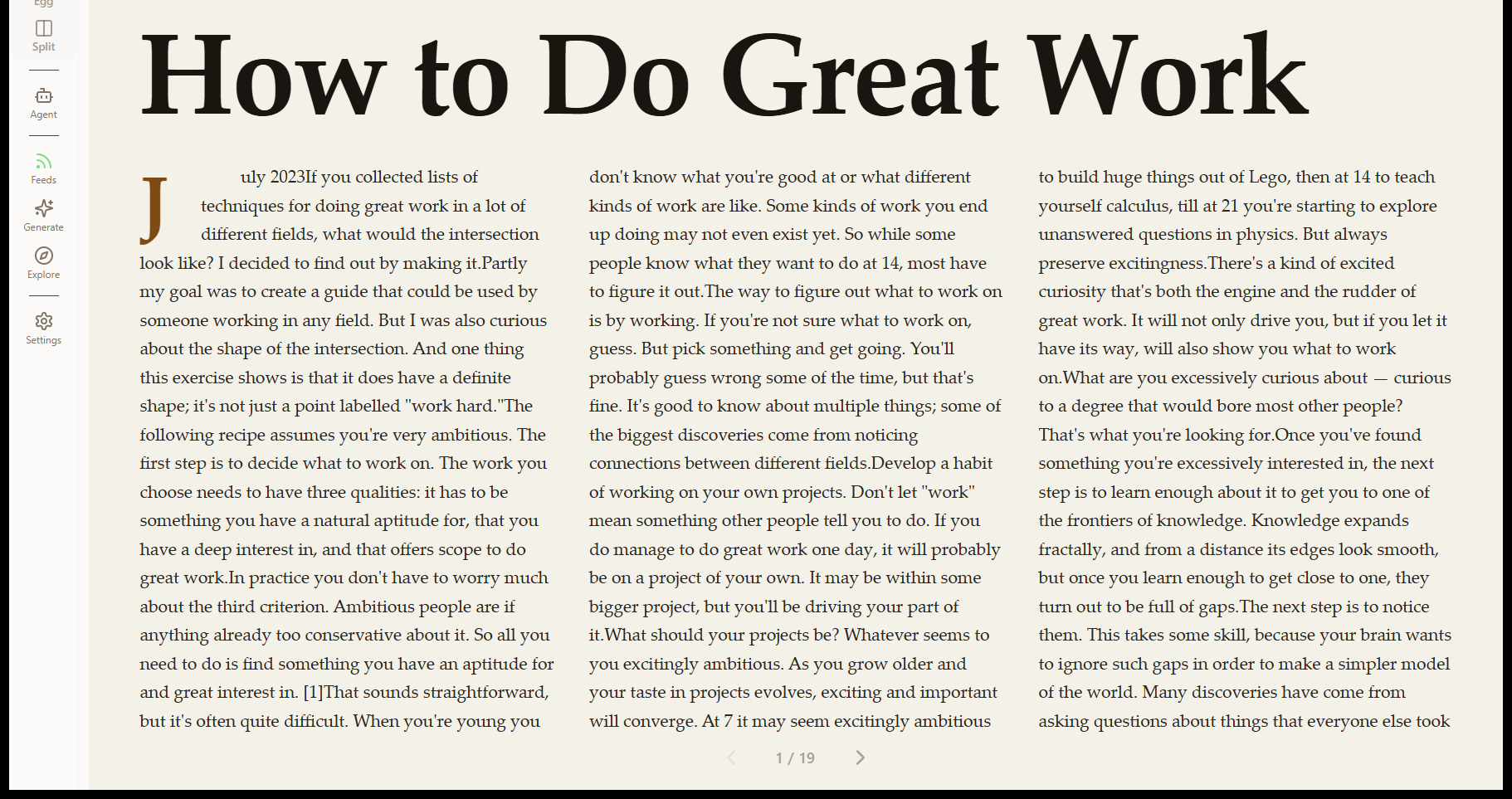
Egg's Magazine reading mode rendering an article with drop caps and three-column layout

Reader, Magazine, Mirror

Same article, three layouts. Reader is single-column. Magazine is paginated editorial with drop caps. Mirror preserves the original layout.

Feed mode

LinkedIn and Twitter rendered as Cards, Stream, or Headlines. Engagement metrics, post tagging, tag-based filters.

Algorithm / My Feed toggle

One click to switch between the algorithmic feed and just the people you actually follow.

Done / Later actions

Mark a post done with a fade-out. Save for later in a separate pile. Right-click any post to add it to a project.

Agent

An agent that browses with you.

Chat alongside any tab. Hand off tasks. Bring your own model key, or run one on-device. Watch every action through the firewall.

See all agent features →
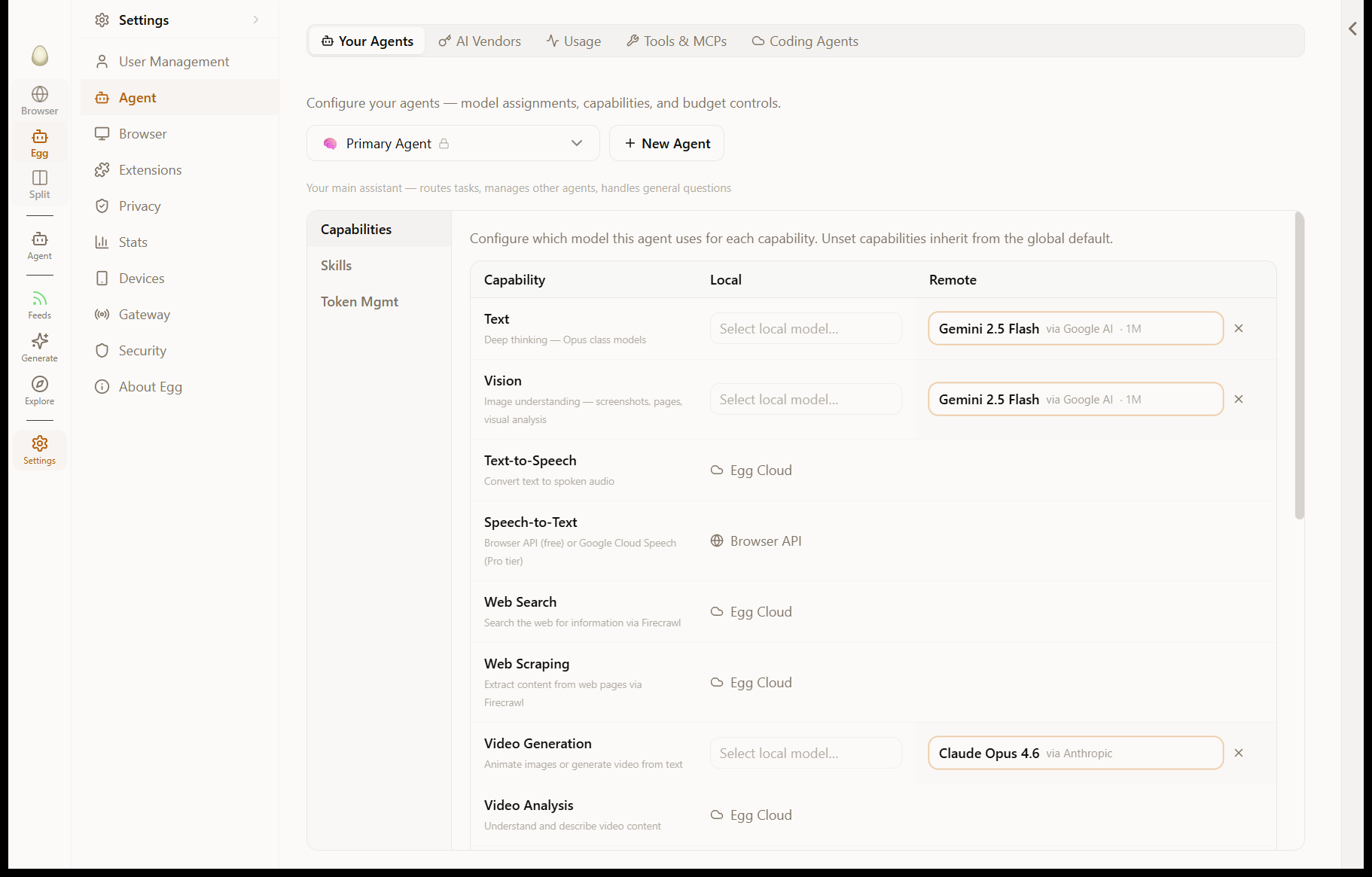
Egg's agent settings showing per-capability model routing: Gemini 2.5 Flash for text and vision, Claude Opus 4.6 for video generation, Egg Cloud for TTS and web search

BYOK and local models

Anthropic, OpenAI, Google, OpenRouter, or Ollama on-device. Direct calls — no proxy, no relay. Per-agent model assignment.

Skills system

7 built-in skills (web research, Google Workspace, code execution, media processing, local files, artifacts, execution discipline). Drop a folder to add your own.

Real browser automation

The agent clicks, types, and reads pages directly through the browser via Chrome DevTools Protocol. Same DOM you see. Same logged-in sessions.

MCP server support

Generic Model Context Protocol client. Built-in servers for Google Workspace and GitHub.

Plan approval

For multi-step tasks, the agent writes a plan and pauses for your approval. You can edit or reject any step.

Persistent memory

Facts and preferences saved across conversations. Press Ctrl+M (Cmd+M) to memorize anything you see.

Workspaces

A place for every project.

Files, knowledge, contacts, monitors, and a publish button. Backed by a real folder on your disk — not a database you can’t open with another tool.

See all workspace features →

Filesystem-backed projects

Sections are folders, items are files. Open the project folder in Finder, edit with another app, sync via your tool of choice.

Knowledge synthesis

The agent reads every file in a project and writes a synthesis to knowledge.md. Marks itself stale when monitors bring new data.

Web monitors

Schedule URL checks, detect changes, write Markdown reports straight into the project folder. Notify via Telegram, email, or push.

Contacts that grow themselves

Profiles with notes, memories, social links, work history, education timeline. Built as a side effect of normal browsing.

Publish to a public link

Turn any project into a shareable canvas. Edit in place, copy link, unpublish anytime.

Workspace agents

Each workspace gets an agent rooted in that project. It knows the files, contacts, monitors, and knowledge state.

Privacy

Built so an agent can run loose without burning the house down.

Every action is logged. Every site has its own permissions. The vault stays encrypted. Sync never sends plaintext anywhere.

See all privacy features →
Egg's site info panel showing tracker counts, cookie controls, and per-site permissions

Agent firewall

Approval prompts before any sensitive action. Per-service, per-action, and per-sender rules. The agent works for you.

Audit log

Every tool call, every page opened, every decision the agent made — with timestamps. Searchable. Local-only.

Site permissions

Per-site toggles for read, click, form fill, and credential autofill. Off by default for sensitive sites.

Always-on tracker stripping

40+ tracking parameters removed on load and copy. Bounce-tracking bypassed. Prefetch and preconnect blocked.

E2E encryption everywhere

Vault, passkeys, sync blobs — all AES-256-GCM with X25519 ECDH between paired devices. Cloud holds opaque ciphertext only.

No telemetry

Egg doesn’t phone home. No usage analytics. No "AI improvement" data sharing. Crash logs are local until you choose to share.

Under the hood

Compare Egg with

See what hatches.

Free to download. Bring your own API key.

Download for Windows

Also available for macOS