Strip the chrome from any article. Pull LinkedIn and Twitter into a clean stream. Filter out the noise, mark what you’ve read, leave the algorithm at the door.
Egg ships three article extractors. Pick the one that fits the story — long-form gets Magazine, news gets Reader, design-heavy pages get Mirror.
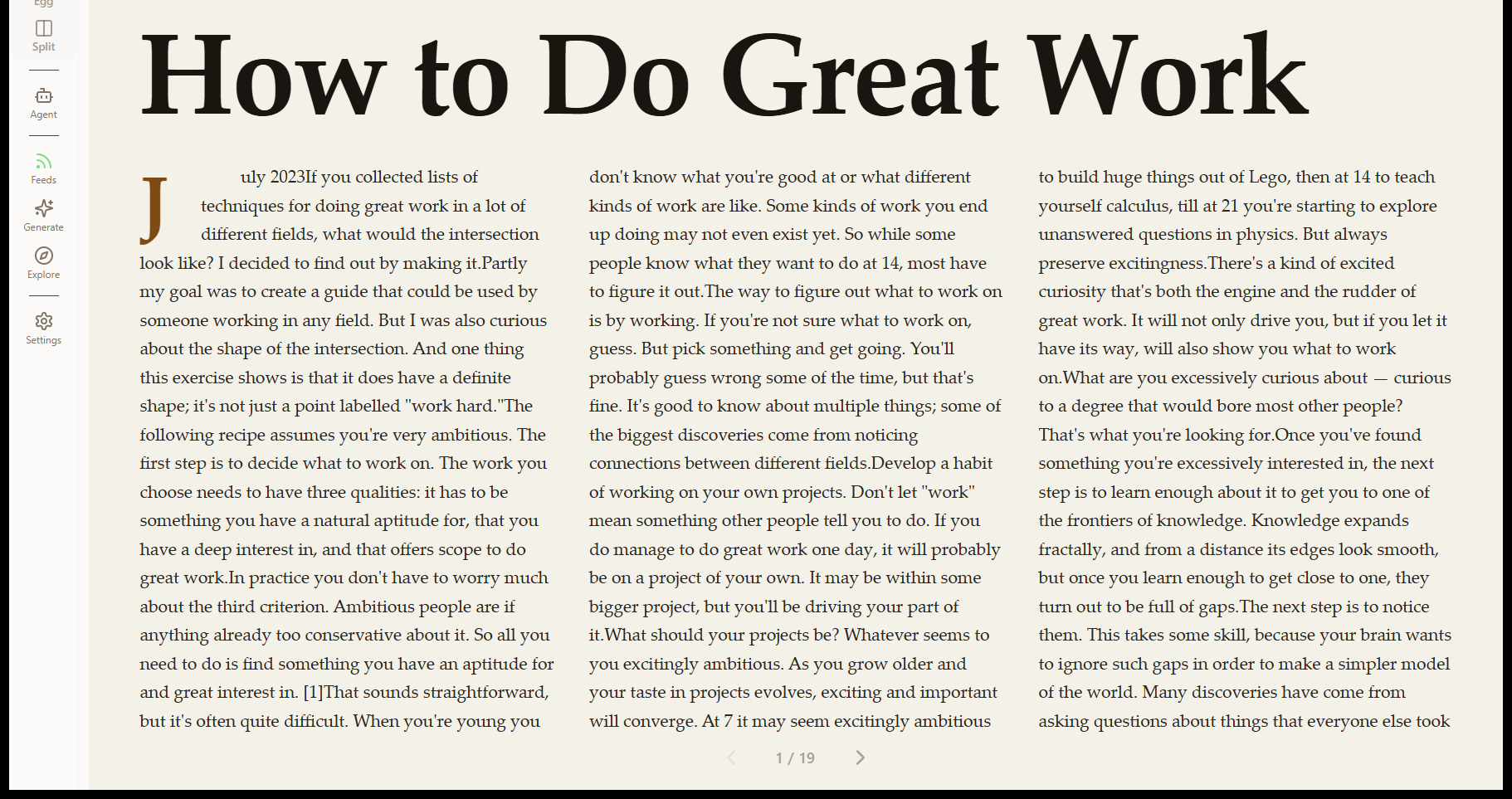
Single-column, distraction-free. Headline, byline, body, images. Generated server-side, never injected by ads or banners.
Editorial paginated layout. Drop caps on the opening paragraph, pull-quotes lifted from the article, image-first hero. Page-turn navigation, not scroll.
Visual skeleton that preserves the original page’s layout and typography — just quieter. Ads, autoplay video, and tracking removed; layout intact.
Toggle modes from the address bar. The same article re-renders without re-fetching.
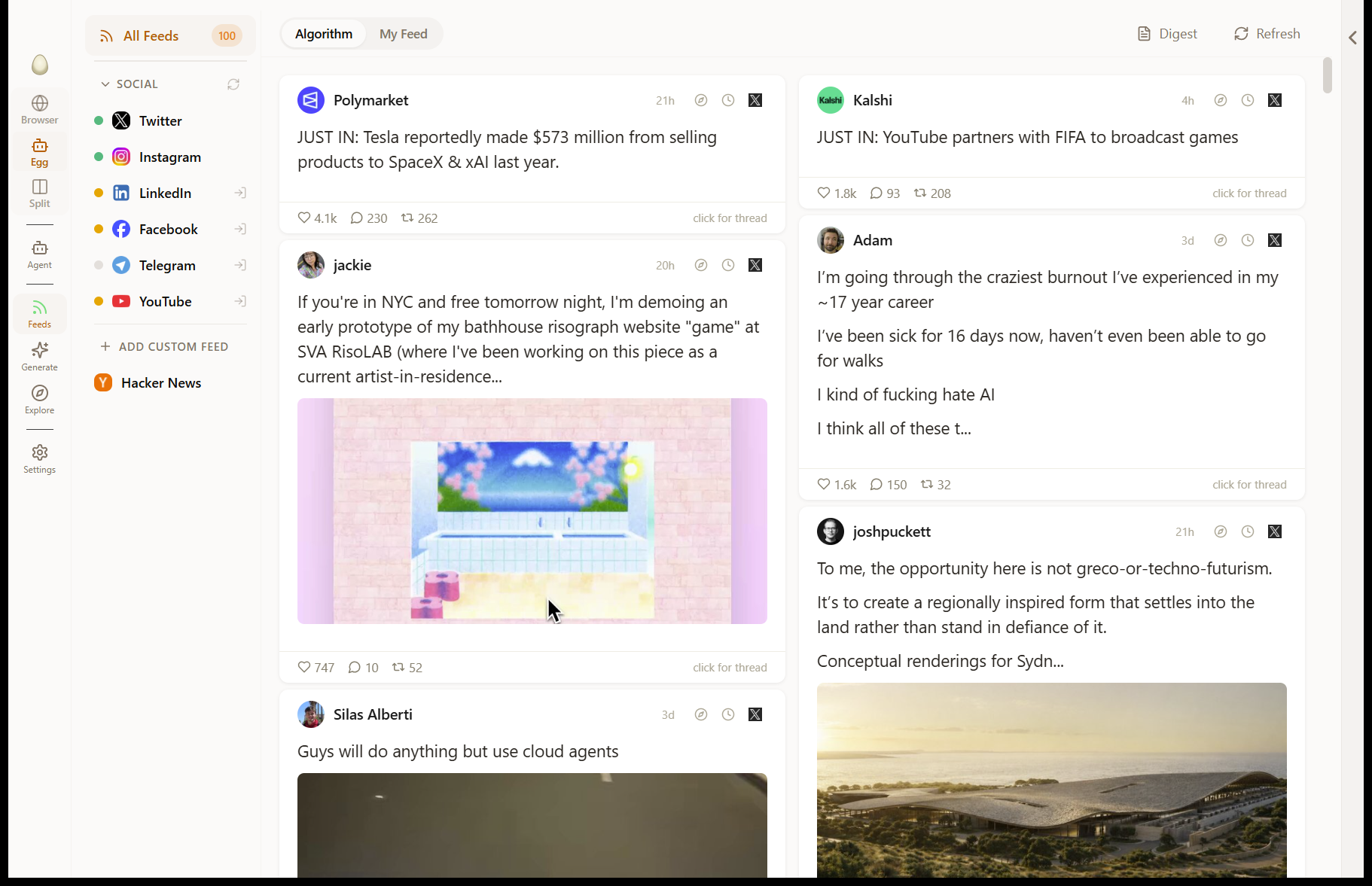
LinkedIn and Twitter rendered as a clean list of posts — with engagement metrics, tags, and filters. No autoplay video, no infinite scroll dark patterns, no algorithmic reordering.
One post per card. Author, time, post body, engagement counts, attached image or link preview.
Continuous text stream — tighter than Cards, looser than Headlines. Best for scanning.
One line per post. Author, opening words, engagement count. Read 100 posts in a glance.
Likes, comments, reposts parsed from the post DOM and shown on every card — even when LinkedIn hides them in raw view.
Switch between the algorithmic feed (what the site wants you to see) and your "My Feed" (just the people you actually follow). One click.
Always pulls fresh content for extraction. The site’s service worker is bypassed so you don’t see stale cached posts.
Generic readers fail on social platforms because the DOM is hostile by design. Egg ships dedicated extractors that adapt as the markup shifts.
Obfuscated DOM parsing, engagement regex, post tagging (promoted, suggested, job-related). Profile extraction surfaces work history, education, social links.
Tweet extraction with engagement metrics. Algorithmic vs. Following toggle. Quote-tweet and thread continuation handled.
Click any author in the feed to extract their full profile into your contacts — bio, work history, social links, recent activity.
Every post is tagged on the way in. You filter once, your feed stays clean.
Promoted, suggested, job-related, and platform-specific tags. Hide an entire category with one toggle.
Mark a post as read — it dismisses with a fade animation. Done posts don’t come back the next session.
Collapse a post for later review. Lives in a separate "Saved" pile you can revisit.
Right-click any post or article to add it to a workspace. Keeps the URL, title, body, and capture timestamp.
Reading isn’t a dead end. The agent reads what you read, and turns it into something you can search and act on.
The Feed-to-Explore pipeline lets you ask the agent to find more like a post you liked — same author, same topic, same depth.
Save articles to a project and the agent can compile them into a synthesis. See Workspaces for the knowledge engine.
Press Ctrl+M (Cmd+M on Mac) on any page or selection to commit it to memory. The agent will remember next time.
Free to download. Bring your own API key.
Download for WindowsAlso available for macOS